Notion to Word Converter
Convert any public Notion page to a beautifully formatted Word document (.docx) for free.
Your Word document is ready!
Your file has been downloaded.
Your document is safe — but are your Notion notes?
Notion Backups automatically saves your entire workspace to Google Drive, Dropbox, or OneDrive — every day.
Try Notion Backups free →How it works
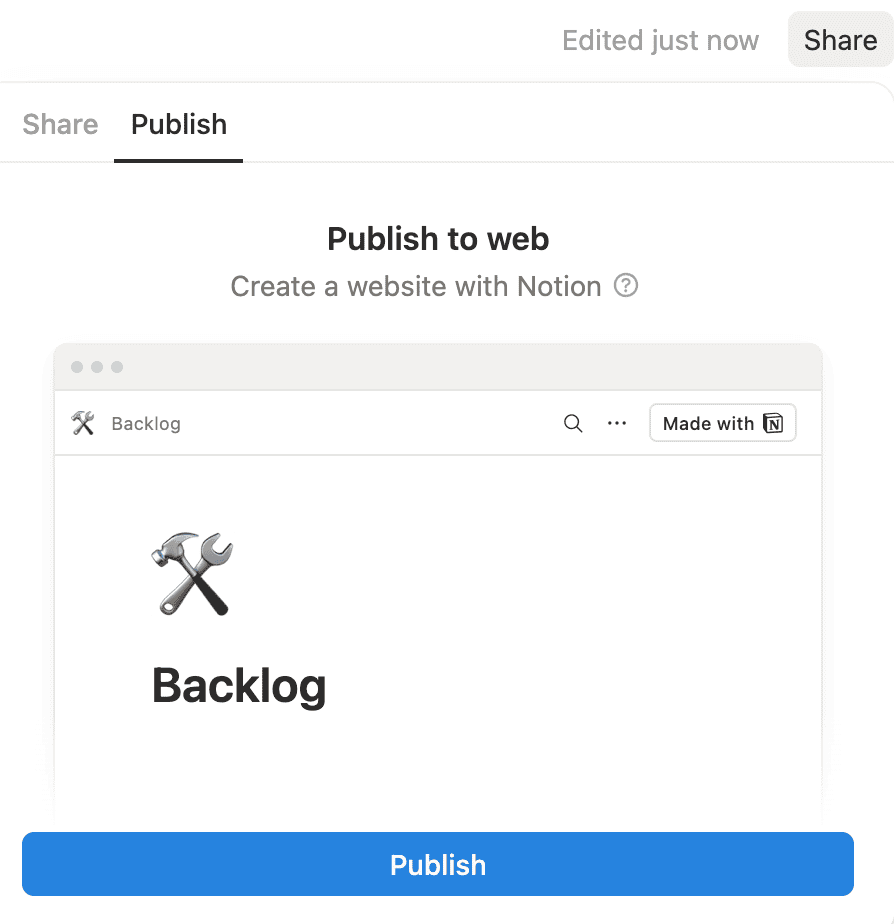
Step 1: Publish your Notion page to the web
Open your Notion page and click the Share button in the top-right corner. Select the Publish tab, then click Publish to make your page publicly accessible.
Step 2: Copy the page URL
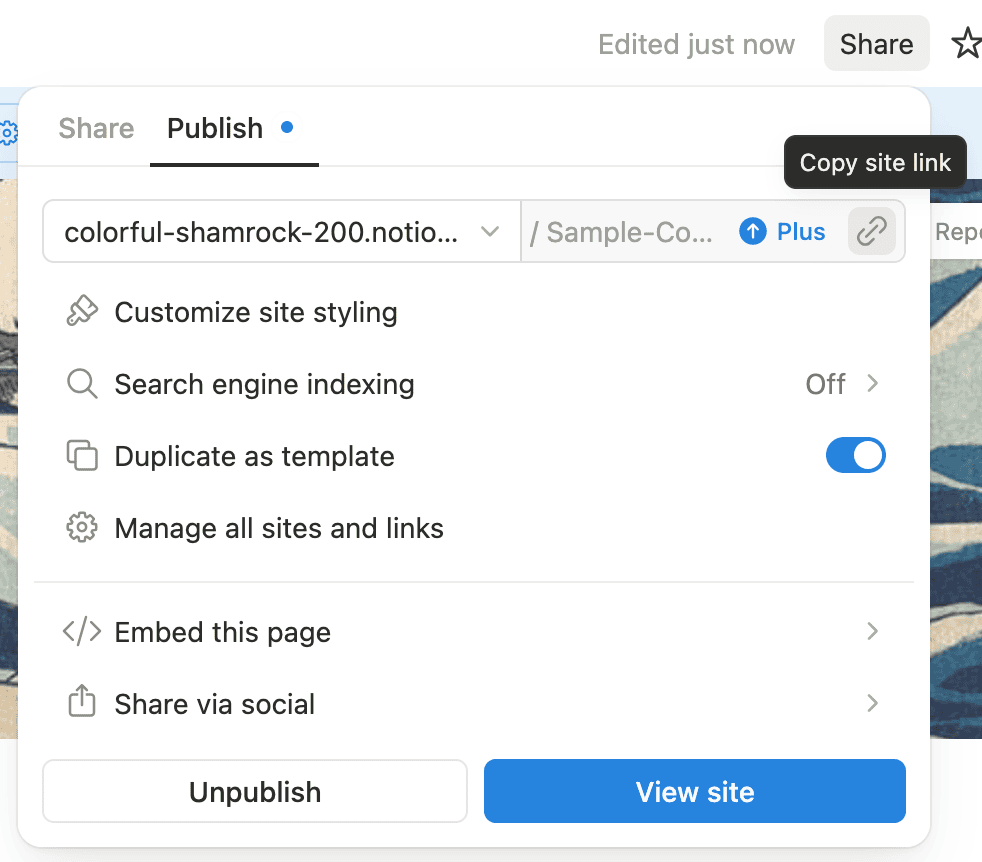
Once published, you can get the URL by clicking the Copy site link button, or by clicking View site and copying the URL from your browser's address bar. The URL will look something like https://yourname.notion.site/Page-Title-abc123.
Step 3: Paste the URL and customize
Paste the URL in the field above. Use "Customize Document" to adjust the page size, font, margins, and other settings.
Step 4: Generate and download
Click "Generate Word Document" and wait a few seconds. Your .docx file will automatically download, ready to edit in Microsoft Word, Google Docs, or any compatible application.
"It just helped me save tons of time, thanks a lot"
Comment from an r/Notion user
Frequently Asked Questions
- Do you preserve the formatting?
- Yes, we copy headings, bulleted and numbered lists, tables, images, code blocks, and inline formatting like bold, italic, underline, and links.
- Why does my page need to be public?
- We need to access your page to convert it. Without "Share to web" enabled, we can't fetch the page content. We don't store any of your content.
- Do you store or log my content?
- No. We don't store or log any of your content. The conversion process happens on a serverless infrastructure.
- Can I convert private pages?
- Not with this free tool. For private page exports, check out our backup service which can export your entire workspace.
- What Notion blocks are supported?
- We support paragraphs, headings (H1-H3), bulleted lists, numbered lists, to-do lists, dividers, quotes, code blocks, images, simple tables, callouts, and links. Embedded databases are shown as placeholder text with a link to the original.
- Do you support page breaks?
- Yes. Check "Treat dividers as page breaks" in the customization options to start a new Word page after each Notion divider block.
- Can I hide the page title and cover image?
- Yes. Check "Hide page title, icon, and cover image" in the customization options to remove the Notion header elements.
- How is this different from exporting as PDF and converting to Word?
- Our tool generates a native Word document with proper headings, editable text, and correct formatting. PDF-to-Word converters often produce garbled output with broken layouts and uneditable text. You can also drop this file directly into Google Docs.
- Do you support other export formats?
- Yes. Convert your Notion pages to PDF with our Notion to PDF exporter, to a clean single-file Markdown document with our Notion to Markdown converter, extract database views with our Notion to Excel converter, or turn toggle blocks into .apkg/CSV flashcards with our Notion to Anki converter.
- Do you support on-premises or private cloud deployments?
- Yes. Contact sales@notionbackups.com for more information.
Back up your Notion workspaces today
Get started